
You get a call from an unknown number. You ignore it. It calls again. You search the number on Google — nothing useful comes up. This happens to millions of people in Pakistan every single day.
Or maybe you have a different problem. You want to know how many SIM cards are registered against your CNIC. You have heard about SIM fraud. Someone could be using your identity to register a number you never knew about. That is not just a privacy issue — it can create legal and financial trouble for you.
This is where Pakistan’s SIM information system becomes useful. And more specifically, this is where a platform like IMSIData comes in.
This article covers everything you need to know — how SIM registration works in Pakistan, what IMSI data is, how CNIC and SIM numbers are connected, how to track SIM ownership, and how tools like IMSIData make this process easy and free.
How SIM Registration Works in Pakistan
Pakistan started biometric SIM verification back in 2015. Before that, millions of SIMs were sold without any identity verification. Those unregistered SIMs became a serious security problem. They were used in crimes, fraud, and even terrorism-related communication.
The government, through the Pakistan Telecommunication Authority (PTA), then made biometric verification mandatory for all SIM activations. You cannot get a new SIM today without going to a retailer, pressing your thumb on a biometric device, and verifying your CNIC details.
Every SIM in Pakistan is now tied to a specific person’s CNIC number. The telecom operators — Jazz, Telenor, Zong, Ufone, SCO — all maintain this data and share it with PTA.
The result? Every mobile number has a registered owner. Every SIM card is linked to a national identity number. This creates a traceable, accountable system.
But it also creates a new kind of concern: What if someone used YOUR CNIC to register a SIM without your knowledge? That still happens. Retailers have been caught registering ghost SIMs using stolen identity data. This is exactly why people need access to this information.
What Is IMSI Data?
IMSI stands for International Mobile Subscriber Identity. It is a unique 15-digit number that identifies your SIM card on the mobile network. Think of it as the SIM’s internal ID — different from your phone number, different from your IMEI.
When you put a SIM in your phone and it connects to a tower, the network reads the IMSI to identify who you are and what plan you have. It is the most basic piece of information that links a SIM to a subscriber.
IMSI data, when made accessible through proper legal channels, can tell you:
- Which telecom operator issued a SIM
- Which CNIC the SIM is registered against
- Whether a number is active or inactive
- How many SIMs are linked to a specific CNIC
This is sensitive information. It is exactly why access to it must come through PTA-approved channels — not from random apps or shady websites that might be scraping data illegally.
IMSIData is one platform that works with PTA-approved data to give users access to this information in a legal, structured way.
The Problem of Fake and Fraudulent SIMs
Let’s be honest about why people look this stuff up.
Most people searching for SIM owner details in Pakistan are not doing anything suspicious. They are trying to protect themselves. Here are the most common situations:
Unknown calls and harassment. Someone keeps calling you from a number you do not recognize. Worse, the calls are threatening or inappropriate. You want to know who is behind that number before you decide what to do next.
SIM fraud under your CNIC. You receive a message from your telecom saying a new SIM has been activated on your number. You did not do this. Someone else did. You need to verify immediately how many SIMs are running under your identity.
Verification before a business deal. You are doing business with someone you met online. They gave you a number. Before you transfer money or sign anything, you want to confirm the number is actually registered in their name.
Lost SIM recovery. You lost your phone. You want to confirm whether your SIM has been deactivated or if someone else is using it.
Parental monitoring. You gave your child a SIM. You want to verify ownership details to manage their usage properly.
These are all completely legitimate reasons. The system exists to help people in exactly these situations.
IMSIData: What It Is and What It Does
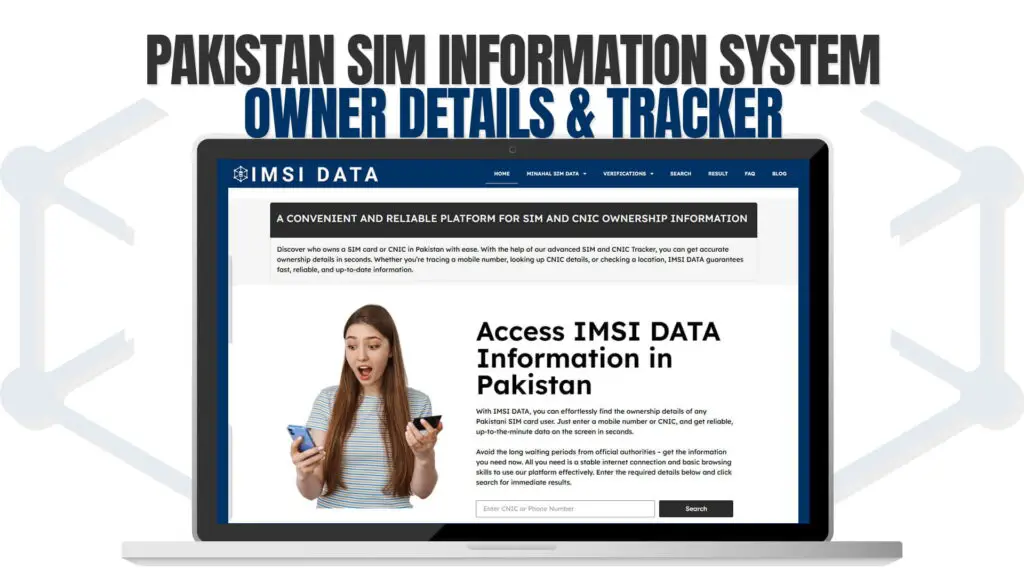
IMSIData is an online platform that gives users access to SIM and CNIC ownership information in Pakistan. The data it uses comes through PTA-approved IMSI records, which means it is not pulling random data from unknown sources.
You can visit IMSIData and start browsing for free.
The platform is built for regular users — not just tech experts. You do not need to understand what IMSI means to use it. You just need a phone number or a CNIC number, and the platform does the rest.
Here is what IMSIData allows you to do:
Search by mobile number. Enter any Pakistani mobile number and find out who it is registered to. The result shows the registered CNIC and relevant ownership details.
Search by CNIC. Enter a CNIC number to see how many SIMs are currently registered against it. This is extremely useful for detecting fraud.
Check network operator. The platform can identify which network the SIM belongs to — Jazz, Telenor, Zong, Ufone, or SCO.
Verify active/inactive status. Find out whether a number is currently in use or has been deactivated.
Free to use. Basic lookups are available without any payment. You do not need to create an account to get started.
The interface is clean and works on both mobile and desktop. For anyone in Pakistan dealing with unknown numbers or SIM-related concerns, IMSIData is worth checking out.
How to Check SIM Owner Details in Pakistan
The process is simple. You do not need to download anything or know anything technical.
Step 1. Go to IMSIData (imsidata.com).
Step 2. Choose whether you want to search by phone number or by CNIC.
Step 3. Enter the number or CNIC in the search bar.
Step 4. The platform returns ownership information based on the PTA-approved database.
Step 5. Review the results — registered name, CNIC, network, and SIM status.
That is it. The whole process takes less than a minute.
If you are checking your own CNIC to see how many SIMs are registered in your name, this is particularly important. PTA guidelines say a single CNIC can have a maximum of 5 SIMs registered across all networks. If you check and find more than that — or find numbers you do not recognize — you can immediately file a complaint with PTA or your telecom operator to block those SIMs.
PTA Rules on SIM Ownership in Pakistan
The Pakistan Telecommunication Authority sets and enforces the rules around SIM registration. Here are the rules that matter most for regular users:
Maximum SIM limit. A Pakistani CNIC holder can have a maximum of five SIMs registered across all networks combined. There are some exceptions for corporate accounts, but for individual citizens, five is the cap.
Biometric verification required. No SIM can be activated without biometric thumbprint verification. The thumbprint must match the CNIC holder in the NADRA database.
SIM blocking. If a SIM is registered fraudulently under your CNIC, you have the right to request it be blocked. You can do this through your telecom’s helpline or PTA’s complaint portal.
SIM ownership transfer. If you want to transfer a SIM to someone else’s name, both parties must appear at a telecom franchise and complete biometric verification.
Blocked SIM checking. You can check whether your SIM has been blocked or flagged by PTA by texting your CNIC number to 668.
Device registration. PTA also maintains an IMEI database. Phones brought from abroad must be registered through the Device Identification, Registration and Blocking System (DIRBS) or they will be blocked on Pakistani networks.
Knowing these rules helps you understand what is legal, what your rights are, and what to do if something goes wrong with your SIM registration.
Why You Should Check Your SIM Registration Right Now
A lot of people only find out about SIM fraud after it has already caused harm. A fraudulent SIM registered under your CNIC can be used to:
- Receive OTP codes for banking apps (this is how accounts get drained)
- Register on platforms that then get used for crime
- Communicate in ways that trace back to your identity
You do not need to wait until something bad happens. Checking your CNIC right now takes 60 seconds.
Go to IMSIData, enter your CNIC, and see what comes back. If the results show numbers you recognize, you are fine. If you see unknown numbers, report them immediately.
This is basic digital hygiene in Pakistan today. The same way you check your bank statement for suspicious transactions, you should check your SIM registrations regularly.
Understanding the Link Between CNIC and SIM Numbers
Your CNIC (Computerized National Identity Card) is the foundation of your digital identity in Pakistan. It links you to your tax records, your bank accounts, your property, your passport, and — yes — your SIM cards.
When you activate a SIM, the retailer uses a biometric device that talks directly to NADRA’s system. NADRA confirms that your thumbprint matches your CNIC. The telecom operator then creates the SIM registration in their database, tied to your CNIC number.
This creates a two-way relationship:
- Given a phone number, you can find the CNIC it is registered to
- Given a CNIC, you can find all phone numbers registered to it
Both directions are useful. Both are what IMSIData makes accessible.
The CNIC-to-SIM link is also why losing your CNIC card is serious. If someone gets your CNIC number and manages to fake biometric verification, they can register SIMs in your name. This has happened through corrupt retailers who bypass proper verification steps. Staying aware of your SIM registrations helps you catch this early.
SIM Tracker Features: What to Look For
When you use a SIM tracker or SIM information platform, there are a few things worth understanding:
Data freshness. SIM ownership data changes. People deactivate SIMs, transfer ownership, or get new numbers. A good platform updates its records regularly from PTA-approved sources. IMSIData works with current IMSI data so the results reflect the actual state of registrations.
Operator identification. Not every SIM number makes it obvious which network it belongs to. A proper SIM tracker will tell you whether you are dealing with a Jazz number, Telenor, Zong, Ufone, or SCO number just from the digits alone.
CNIC lookup depth. Some platforms only tell you if a number exists. Better ones tell you the full registration picture — including how many SIMs are under a CNIC and whether any look suspicious.
Privacy and legal use. This is important. Legitimate platforms like IMSIData use PTA-approved data. They are not scraping data, hacking systems, or operating in a legal grey area. Using a platform that operates outside legal frameworks puts both the platform and its users at risk.
Mobile-friendly access. Most people in Pakistan access the internet on a phone. A good SIM information platform should work properly on a small screen without needing an app download.
IMSIData checks all of these boxes. It is accessible, legal, updated, and free to start using.
Common Mistakes People Make with SIM Verification
Over the years, there has been a lot of confusion about how to check SIM information in Pakistan. Here are mistakes worth avoiding:
Using unofficial apps. There are dozens of apps on the Play Store and App Store claiming to reveal caller identity or SIM owner details. Most of them are fake, show inaccurate data, or are malware in disguise. Stick to verified web platforms.
Relying on just the phone book. Truecaller and similar apps show you crowd-sourced names, not official registered owner details. Someone’s Truecaller name can be anything — a nickname, a fake name, or someone else’s label. It is not the same as the registered name linked to the CNIC.
Not checking after incidents. Many people check their SIM registrations once and then forget about it. SIM fraud can happen at any time. Make it a habit to check every few months, especially if you recently lost your CNIC card, applied for a new one, or visited a telecom franchise.
Not acting on suspicious findings. If you find a SIM registered in your name that you did not get, do not just make a note of it. Call your telecom’s helpline, visit a franchise, or file a complaint with PTA. Delaying action gives fraudsters more time to misuse the number.
How IMSIData Compares to Other Options
There are a few ways to check SIM information in Pakistan. Here is how they stack up:
Texting 668. PTA allows you to text your CNIC to 668 and receive information about how many SIMs are registered in your name. It is free and official. The limitation is that it only works for your own CNIC and gives you a count, not detailed registration data.
Visiting a telecom franchise. You can go in person to a Jazz, Telenor, Zong, or Ufone franchise and ask them to show you the SIMs registered to your CNIC. They require your physical CNIC and sometimes your thumbprint. It works, but it takes time and means a trip to the franchise.
PTA’s online portal. PTA has its own web interfaces for some services, though they are not always the most user-friendly option and may require registration.
IMSIData. Compared to all of the above, IMSIData offers something different: the ability to look up numbers you do not own, not just your own CNIC. This is where it becomes useful for things like verifying an unknown caller’s identity. It is also accessible from a browser without requiring a franchise visit or SMS-based system.
Each option has its place. For quick personal verification, 668 works. For detailed lookups — especially for unknown numbers — IMSIData is the right tool.
Privacy and Responsible Use
It needs to be said clearly: SIM information systems exist to protect people, not to spy on them.
Looking up someone’s SIM registration details without a legitimate reason is a misuse of these tools. Using this information to stalk, harass, or harm someone is illegal under Pakistani cybercrime laws (PECA 2016).
Responsible use means:
- Checking your own CNIC registrations regularly
- Verifying unknown callers when you have safety concerns
- Confirming identity for business purposes with consent
- Reporting fraudulent SIMs to PTA
IMSIData, like any information platform, is a tool. Tools can be used well or misused. Use it responsibly.
PTA takes violations of privacy and misuse of telecom data seriously. If you believe someone is using a SIM information platform to gather your personal data without consent, you can report it to PTA or FIA’s cybercrime wing.
There are two easy ways. First, text your 13-digit CNIC number (without dashes) to 668. You will receive an SMS telling you how many SIMs are registered across all networks under your CNIC. Second, you can use IMSIData to do a CNIC-based lookup online and get more detailed results, including network names and number details. Both methods are free. It is a good idea to do this check every few months, especially if you have ever lost your CNIC or had it replaced.
Yes. With a platform like IMSIData, you can enter a Pakistani mobile number and get the registered owner information linked to that number through PTA-approved IMSI data. This is useful when you receive calls from unknown numbers, especially if those calls involve harassment or suspicious activity. The data reflects the official registration tied to that number.
Report it immediately. Contact your telecom operator’s helpline (such as 111 for Jazz, 345 for Telenor, 310 for Zong, or 333 for Ufone) and ask them to block the suspicious SIM. You should also file a complaint at the nearest telecom franchise by showing your original CNIC. Additionally, you can file a complaint through PTA’s online complaint portal at pta.gov.pk. Do not delay — a fraudulent SIM in your name can be used for financial fraud, and the faster you act, the better.
Checking SIM registration details through a PTA-approved platform for legitimate purposes — such as verifying an unknown caller’s identity or investigating harassment — is generally considered acceptable. However, using this information to stalk, threaten, harass, or harm someone is a criminal offense under the Prevention of Electronic Crimes Act (PECA) 2016. IMSIData operates with PTA-approved data and is intended for lawful use only. As a user, you are responsible for how you use the information you access.
PTA allows a maximum of five SIMs per CNIC across all networks combined for individual subscribers. If you have SIMs on Jazz, Telenor, and Zong, the total across all three cannot exceed five. Corporate and business accounts may have different limits. If you check your CNIC and find more than five SIMs registered, it is a strong sign that some were registered fraudulently. Report this to PTA and your telecom operators right away.
Final Thoughts
Pakistan’s SIM information system is actually one of the more advanced in the region. Mandatory biometric verification has made SIM registration much more accountable than it was a decade ago. The CNIC-to-SIM link gives citizens a way to verify and protect their identity.
The problem has always been access. Most people did not know they could check their SIM registrations. Many did not know platforms like IMSIData existed.
Now you do.
If you have not checked your CNIC’s SIM registrations recently, do it today. Visit IMSIData, run a quick lookup, and make sure everything is in order. It takes a minute and could save you from a serious fraud problem down the line.
And if you ever get a call from an unknown number that makes you uncomfortable — you now know exactly where to look.