
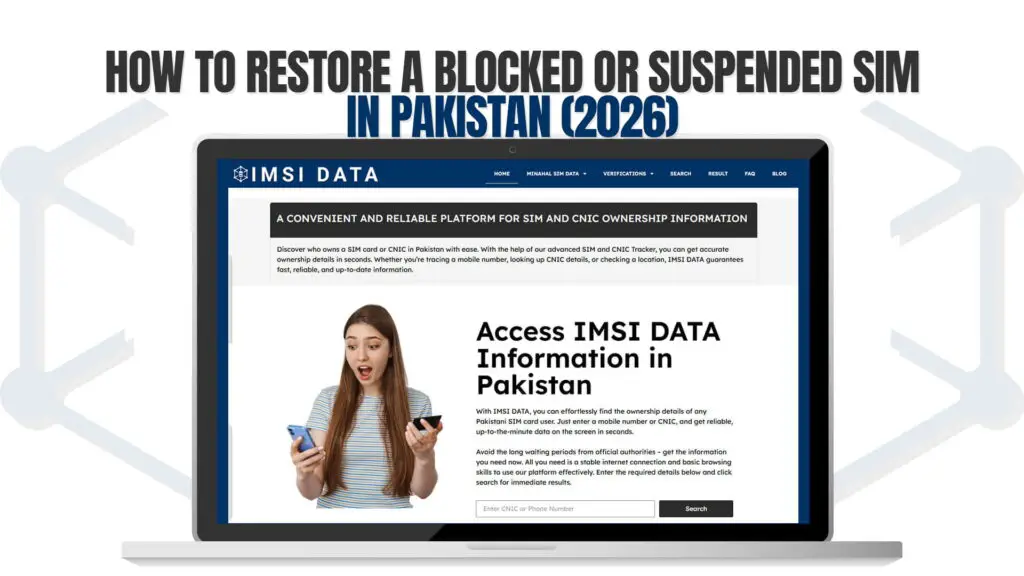
Few things are as stressful as picking up your phone to find no signal, no calls, and no data — only to realize your SIM has been blocked or suspended. In 2026, with the Pakistan Telecommunication Authority (PTA) running automated enforcement drives and tighter biometric rules, more Pakistanis are seeing their connections cut off, often with little or no warning.
The good news: if your SIM is legitimate, restoring it is usually straightforward. This step-by-step guide explains why SIMs get blocked, how to restore a suspended connection, and how to protect your number going forward. As a PTA-approved platform officially recognized by the Pakistani Government, IMSI DATA helps you check the status and ownership of the SIMs tied to your CNIC so you can act fast.
Quick Answer: How Do You Restore a Blocked SIM?
To restore a blocked or suspended SIM in Pakistan, visit your network operator’s authorized franchise with your original, valid CNIC and complete a fresh biometric verification (thumbprint scan matched against NADRA). Once verified, the SIM is typically reactivated within about 24 hours. SIM restoration cannot be done online or by phone — an in-person biometric check is mandatory.
In short: identify why it was blocked, bring your valid CNIC to the franchise, re-verify your biometrics, and confirm reactivation within a day.
First: Why Was Your SIM Blocked or Suspended?
Restoration starts with understanding the cause. Common reasons in 2026 include:
- Failed or missing biometric verification. Under PTA’s automated enforcement, SIMs that fail biometric re-verification can be suspended within 72 hours.
- Expired CNIC. SIMs tied to an expired identity card are flagged and blocked.
- Exceeding the SIM limit. PTA allows 5 voice SIMs and 3 data SIMs per CNIC. Exceeding the limit can suspend connections, sometimes including your primary number.
- Inactivity. A SIM with no calls, SMS, or data for an extended period (commonly around 180 days) can be deactivated and the number eventually recycled.
- Unauthorized or fraud-linked registration. SIMs flagged for suspicious activity may be suspended pending verification.
- Deceased-person CNIC. Connections on the identity of someone who has passed away are blocked.
Knowing your reason determines your fix. Confirm your biometric status and registration footprint before heading to the franchise — our guide to checking your SIM status in minutes shows you how.
How to Check Your SIM’s Status Before You Go
A quick check tells you what you’re dealing with and saves a wasted trip:
- Biometric status: Send your CNIC to 6001 (Jazz), V to 7911 (Zong/Ufone), or your CNIC to 7751 (Telenor). You’ll see whether your biometrics are verified, pending, or failed.
- SIM count on your CNIC: Send your 13-digit CNIC (no dashes) to 668, or use the official portal, to see how many SIMs are registered across operators.
- Network confirmation: If a number was ported, confirm its current operator before using USSD codes.
If the status shows “Not Verified” or your count exceeds the limit, you’ve found your likely cause. For a deeper view of registered ownership data, see our guide to updated SIM owner name details.
Step-by-Step: Restoring a Blocked or Suspended SIM
Step 1: Confirm the Block and Its Reason
Use the status codes above. If your biometrics failed, a re-verification will likely fix it. If your CNIC is expired, you must renew it first (see Step 2).
Step 2: Renew an Expired CNIC if Needed
You cannot complete biometric verification with an expired CNIC. If yours has expired, renew it through NADRA before anything else. Our NADRA CNIC verification guide explains the renewal process.
Step 3: Visit the Correct Operator’s Franchise
SIM restoration is handled by each network separately. Go to the authorized franchise or Customer Service Center of the operator that issued the blocked SIM — not a roadside retailer or corner shop. Bring your original CNIC (not a photocopy).
Step 4: Request Restoration and Re-Verify Biometrics
Tell the staff your SIM has been suspended and you want to restore it. You’ll complete a live thumbprint scan — and increasingly a facial scan under PTA’s new dual biometric system — matched against NADRA in real time.
Step 5: Resolve Any Limit or Ownership Issues
If the block was due to exceeding the 5+3 SIM limit, you’ll need to disown excess or unauthorized SIMs first. If an unknown SIM caused the problem, request disowning of that connection while you’re there.
Step 6: Confirm Reactivation
Successful verification usually restores service within about 24 hours. Re-check your biometric status afterward to confirm it updated, and keep your receipt and reference number.
What If the Blocked SIM Isn’t Yours?
Sometimes a status check reveals a suspended SIM you never bought — a sign someone used your CNIC fraudulently. In that case, don’t just restore it; disown it:
- Screenshot the evidence with the date visible.
- File a complaint with PTA (the complaint helpline and online system are the official routes) to create a dated record.
- Visit the operator’s franchise with your original CNIC and request disowning of the unauthorized SIM.
- For multiple unauthorized SIMs or any financial loss, consider filing a police report and contacting the FIA Cyber Crime Wing.
- Re-check your CNIC afterward to confirm the rogue SIM is gone.
A reverse view of every connection tied to your identity helps you separate genuine SIMs from fraudulent ones — see our Pakistan SIM info system owner details tracker.
How Long Does Restoration Take?
For a straightforward biometric re-verification:
- At the franchise: The actual scan and paperwork take roughly 10–15 minutes, though queues can add time.
- Reactivation: Service is typically restored within about 24 hours of successful verification.
- If a CNIC renewal is involved: Add the NADRA processing time before you can re-verify.
- If disowning is required: Removing an unauthorized SIM and clearing your count may add a day or two.
Patience helps, but if service doesn’t return within the expected window, follow up with your reference number.
How IMSI DATA Helps You Restore and Protect Your SIM
Restoration is faster when you know exactly what you’re dealing with. IMSI DATA, a PTA-approved platform recognized by the Pakistani Government, gives you fast, reliable, and up-to-date SIM and CNIC ownership details so you can:
- Confirm which SIMs are linked to a CNIC before visiting the franchise.
- Identify whether a block stems from your own SIM or an unauthorized one.
- Keep a clear record to support disowning, complaints, or follow-ups.
Knowing the cause before you go turns a frustrating, repeated-trip ordeal into a single, efficient franchise visit. For an overview of how many SIMs you can safely hold, see our guide on how many SIMs are registered on your CNIC.
Tips to Prevent Future Blocks
- Verify biometrics regularly so you never fail a re-verification sweep.
- Keep your CNIC valid — set a reminder before it expires.
- Stay within the 5+3 SIM limit by disowning SIMs you no longer use.
- Use inactive SIMs occasionally to avoid inactivity deactivation.
- Audit your CNIC monthly to catch unauthorized registrations early.
- Keep records of every check, receipt, and reference number.
Common causes include failed biometric verification, an expired CNIC, exceeding the SIM limit, prolonged inactivity, or fraud-linked registration.
No. Restoration requires an in-person visit to your operator’s franchise for live biometric verification. Online or app-based restoration offers are not legitimate.
Your original, valid CNIC. A photocopy or an expired card will not work.
The franchise process takes about 10–15 minutes, and service is usually restored within 24 hours of successful verification.
No. You must renew your CNIC at NADRA first, since biometric verification cannot be completed on an expired card.
Treat it as fraud. Document it, file a complaint to create a dated record, and request disowning of the unauthorized SIM at the franchise.
Yes. If unauthorized SIMs push your CNIC over the 5+3 limit, the system can suspend connections, potentially including your primary line.
Final Word
A blocked or suspended SIM feels like an emergency, but in most cases it’s a fixable compliance issue. The key is knowing why it happened: a failed biometric check, an expired CNIC, an over-limit count, or an unauthorized registration each has a clear remedy.
Check your status first, bring a valid CNIC, re-verify at the right franchise, and confirm reactivation. To avoid the scramble entirely, monitor your registrations before problems start. With a PTA-approved platform like IMSI DATA providing fast, reliable SIM and CNIC ownership details, you can diagnose a block quickly, restore your service efficiently, and keep your number safe.